
MT5 Copy Trading Explained: How the ICC Copier EA Works
Copy trading lets a master account's trades open automatically in your own MetaTrader 5 account. Here is how it works with ICC Terminal, how your lot size is chosen and what you should understand before you switch it on.
How copy trading works
The ICC master account trades on its own MetaTrader 5 terminal. A small program on the ICC server records its open trades. In your MetaTrader 5 the ICC Copier EA asks the ICC server for those trades about once a second and mirrors them in your account:
- a new master trade opens the same symbol in the same direction for you;
- stop-loss and take-profit changes are applied to your copy;
- a partial close closes the same share of your copy, and a full close closes it.
Only trades with the master magic numbers published by the admin are shared, and your own manual trades in the same MT5 account are never touched.
This is different from a signal group, where you read a message and place the trade yourself, often minutes late and at a different price. With a copier the trade is placed automatically within seconds, with a size that fits your account, and every later change to the master trade is followed. You still own the account: you can switch copying off at any moment, and you can watch every copied trade in MetaTrader 5 and in the app.
What you need
| Requirement | Why |
|---|---|
| ICC Terminal account with a VIP plan | Copy trading is a VIP feature. |
| An MT5 trading account with a broker | The copies are opened there. A demo account is the best place to start. |
| MT5 on a Windows PC or VPS running 24/5 | The EA copies only while MetaTrader 5 is open; phone apps cannot run EAs. |
| Your EA token | Connects the EA to your account. Starts with ea_ and is shown only once. |
Setting it up in six steps
- Download
ICC_Copier.ex5from the app, the web terminal's Copy Trading tab or the website. - Copy it into MT5: File → Open Data Folder → MQL5 → Experts, then refresh the Navigator.
- Allow WebRequest for
https://api.iccterminal.tradein Tools → Options → Expert Advisors and switch Algo Trading on. - Get your EA token in the app or terminal and keep it private, like a password.
- Attach the EA to one chart only and paste the token into its inputs.
- Switch copying on and pick a lot multiplier. The card shows EA: online and the chart shows Status: Copying.
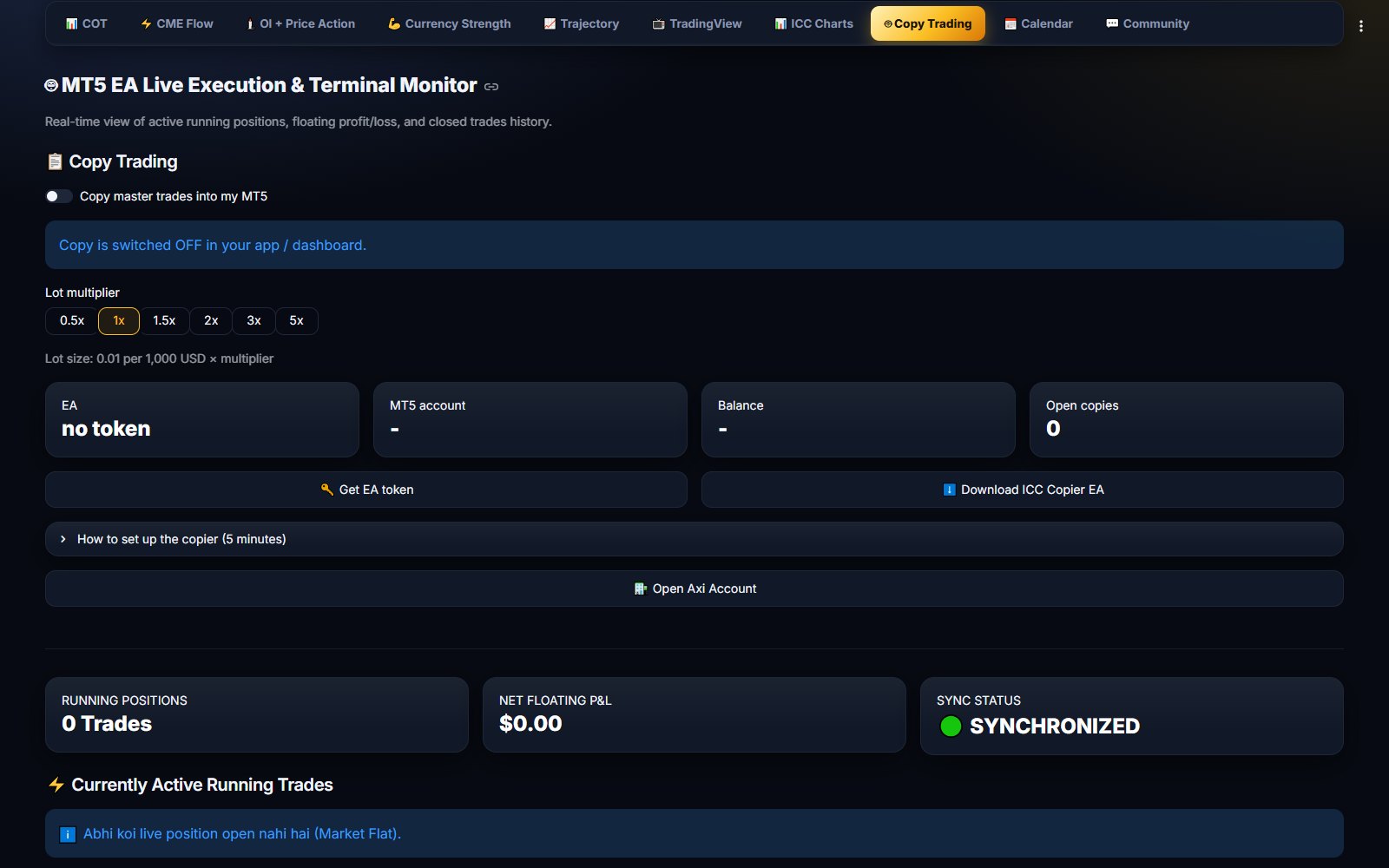
The copy trading guide walks through every step with screenshots.
How your lot size is calculated
Your lot does not depend on the master's lot. It follows your own balance:
The multiplier can be 0.5x, 1x, 1.5x, 2x, 3x or 5x. With 5,000 USD at 1x the lot is 0.05; at 2x it is 0.10. Balances under 1,000 USD still copy with the smallest lot of 0.01, which means more risk relative to the account.
What is copied and what is not
- Copied: new master trades opened in the last 30 minutes, SL/TP changes, partial and full closes.
- Not copied: master trades that were already older than 30 minutes when your EA first saw them — for example while your PC was off.
- Copy switched off or VIP plan ended: no new trades open, but the EA can still close and update the copies you hold.
- Do not close a copied trade by hand while the master trade is still young — switch copying off first, or the EA may open it again.
When something does not work
The EA writes its status in the top-left corner of the chart, and the Copy Trading card in the app or terminal shows the same reason. The common cases are easy to fix:
| Message | What to do |
|---|---|
| Paused — Copy is switched OFF | Switch Copy master trades into my MT5 on. |
| Copy trading needs an active VIP plan | Buy or renew the VIP plan in the app or terminal. |
| Token rejected / invalid EA token | Create a new token and paste it into the EA's inputs. |
| Add https://api.iccterminal.trade in Allow WebRequest | Repeat step 3: the address is missing or mistyped. |
Creating a new token switches the old one off immediately, which is also what you do when you move to a new PC or VPS.
Risks to understand
Copy trading opens real trades with real money. The master's losses are copied as faithfully as its profits, and different brokers can fill the same trade at slightly different prices. Past results do not promise future results.
Ready to try copy trading?
Get the ICC Copier EA and your EA token in the app or the web terminal, follow the guide, and test everything on a demo account first.
FAQ
Do I need a VIP plan for copy trading?
Yes. Copy trading is part of the VIP plan. Without an active plan the EA opens no new trades; copies you already hold can still be closed or updated.
Can I run the ICC Copier EA on my phone?
No. MetaTrader 5 on Android or iPhone cannot run EAs. Run it on a Windows PC or a VPS that stays on; you can still watch the trades on your phone.
Does my lot size depend on the master's lot?
No. Your lot depends only on your own balance and your multiplier, rounded to your broker's lot step and kept between the smallest lot and the maximum lot set in the EA.