Live data · updated daily at 01:00 & 17:00 UTC

See where the big money is positioned.

ICC Terminal turns official CFTC COT reports and CME daily volume & open interest into clear buy / sell bias for 20 markets — Gold, Oil, Forex, Indices and Crypto. On Android, Windows and the web.

Official CFTC & CME data Auto-updated twice a day Windows app included
20Markets tracked
2 yrsCOT history
2× / dayAutomatic updates
3Platforms: Android · Windows · Web
What you get

Institutional flow, without the spreadsheets

Everything is calculated for you from the official reports, so you know in seconds which side the smart money is on.

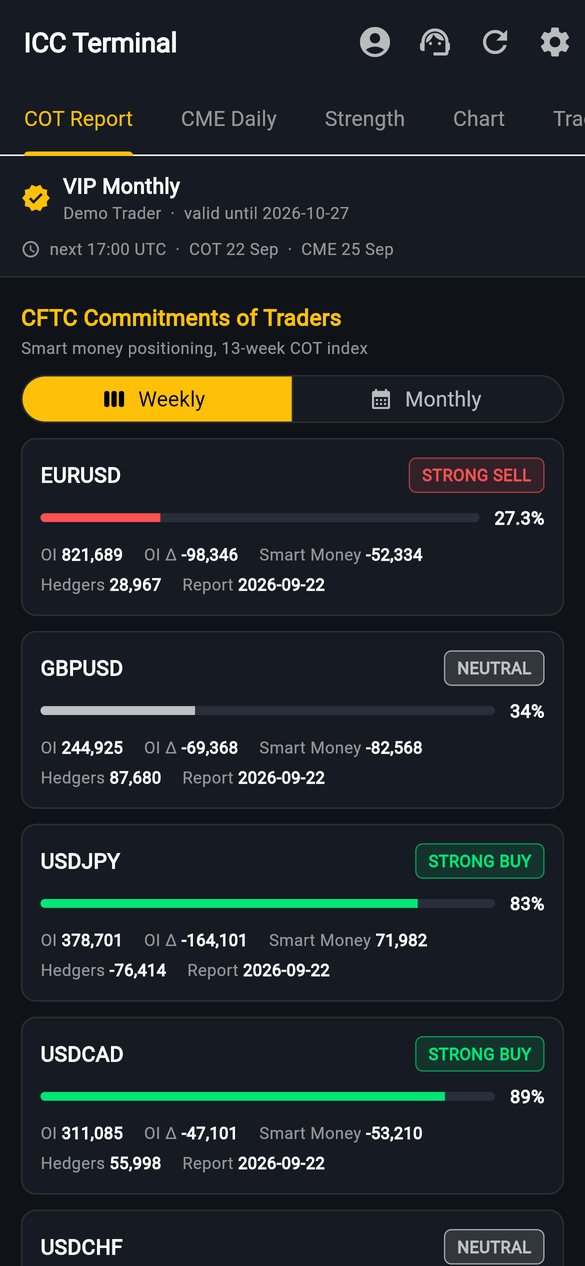
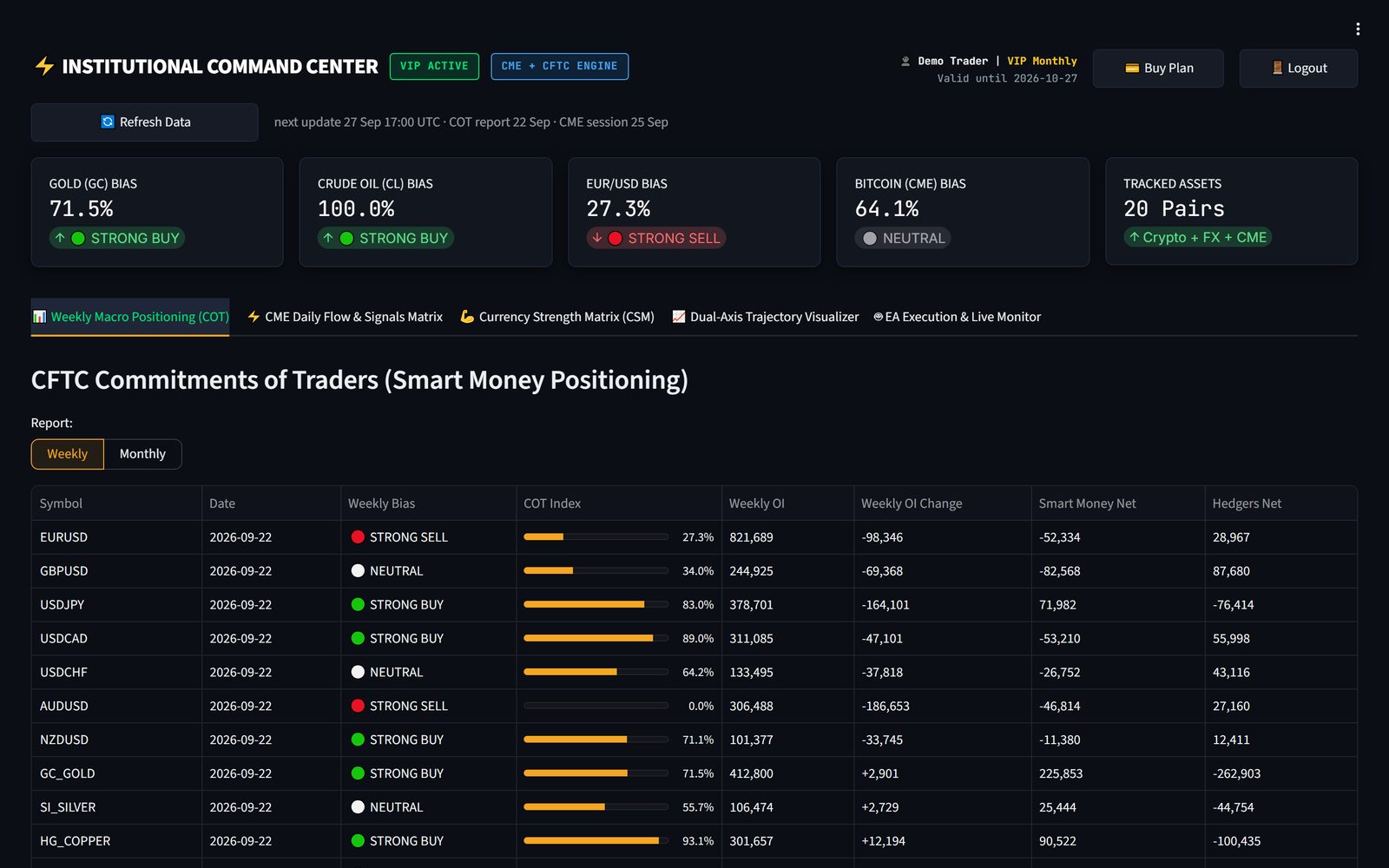
Weekly & Monthly COT

Hedge-fund and commercial positioning with a 13-week COT index and STRONG BUY / SELL bias for every market.

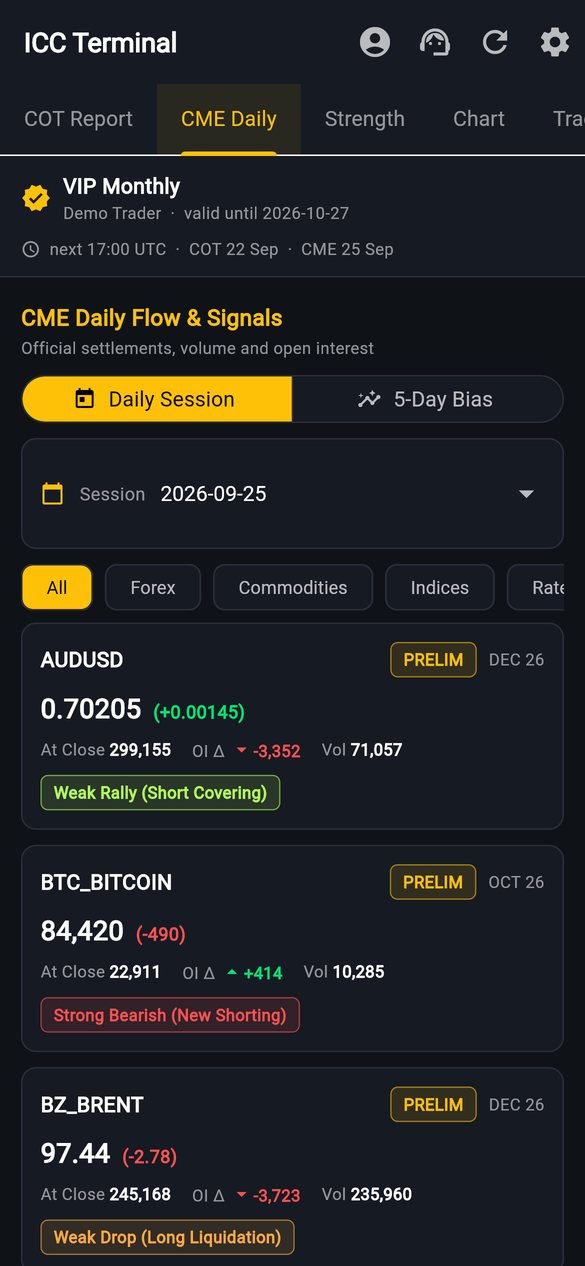
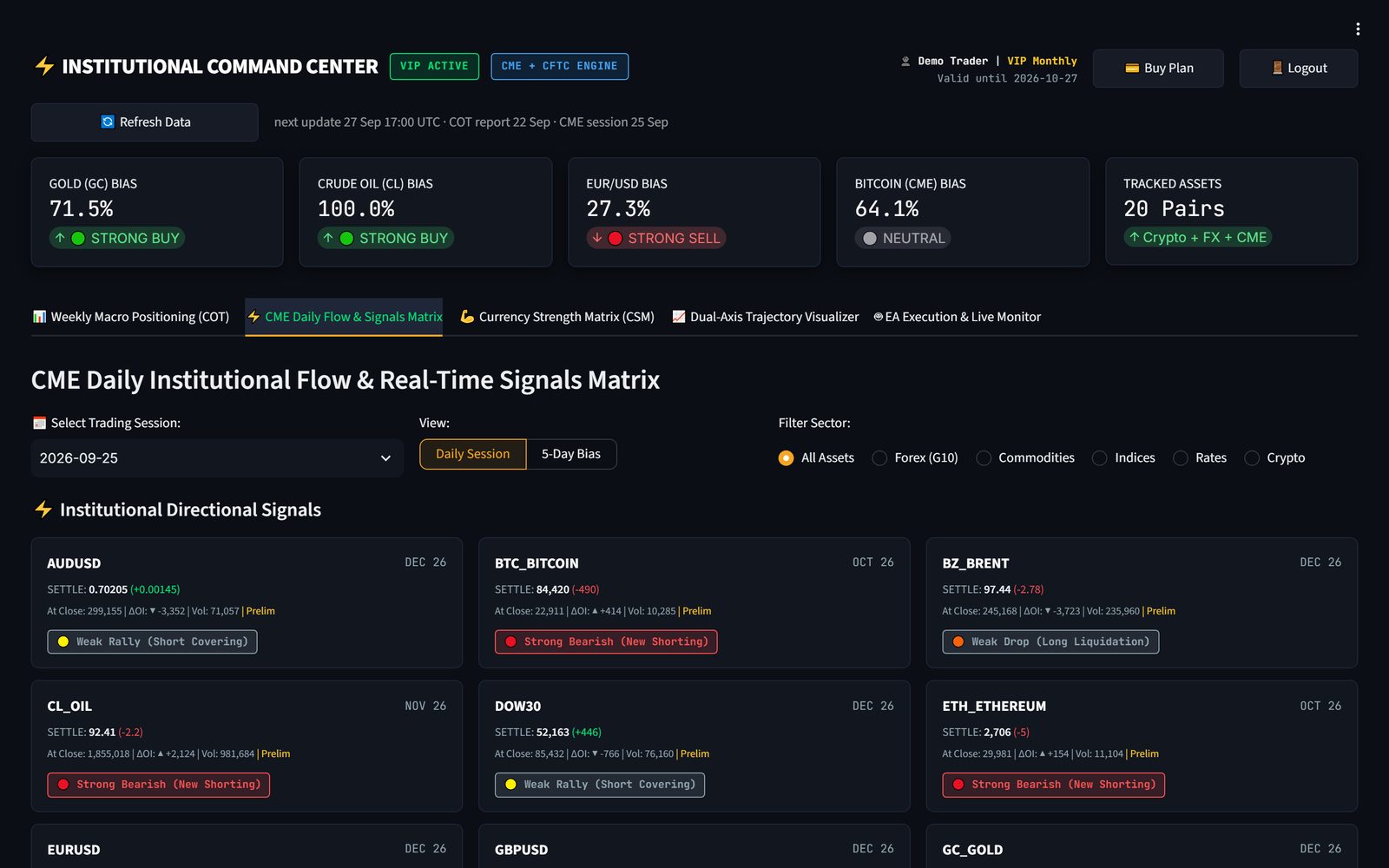
CME Daily Flow

Settlements, volume and open-interest changes every session, turned into clear signals like "Strong Bullish (new longs)".

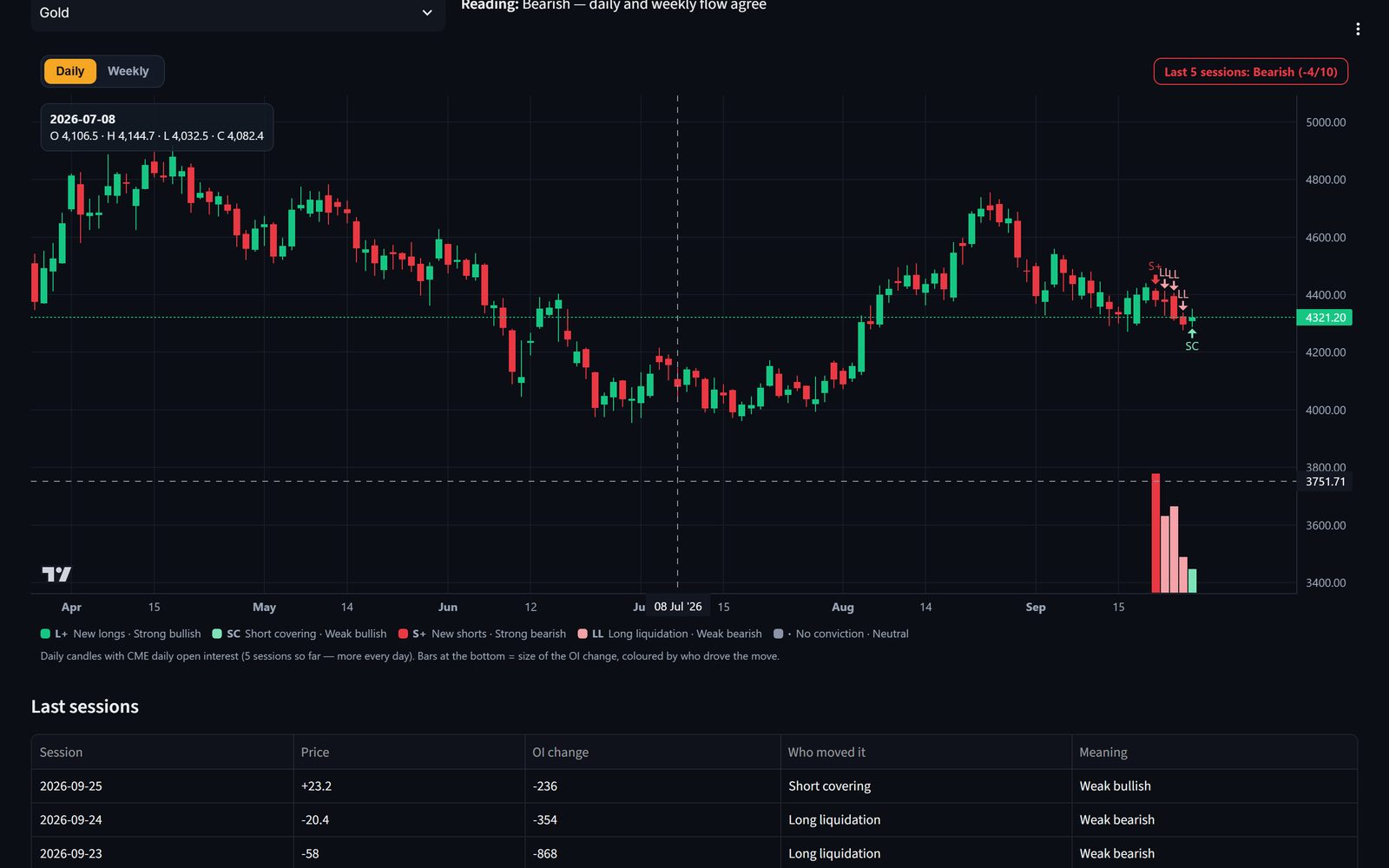
OI + Price Action New

Daily candles with open interest: new longs, short covering, new shorts or long liquidation — and the bias they add up to.

TradingView Charts

Full TradingView chart for every market inside the app — daily candles, indicators and drawing tools.

5-Day Bias

Five sessions of CME flow combined into one daily direction, so a single noisy day never fools you.

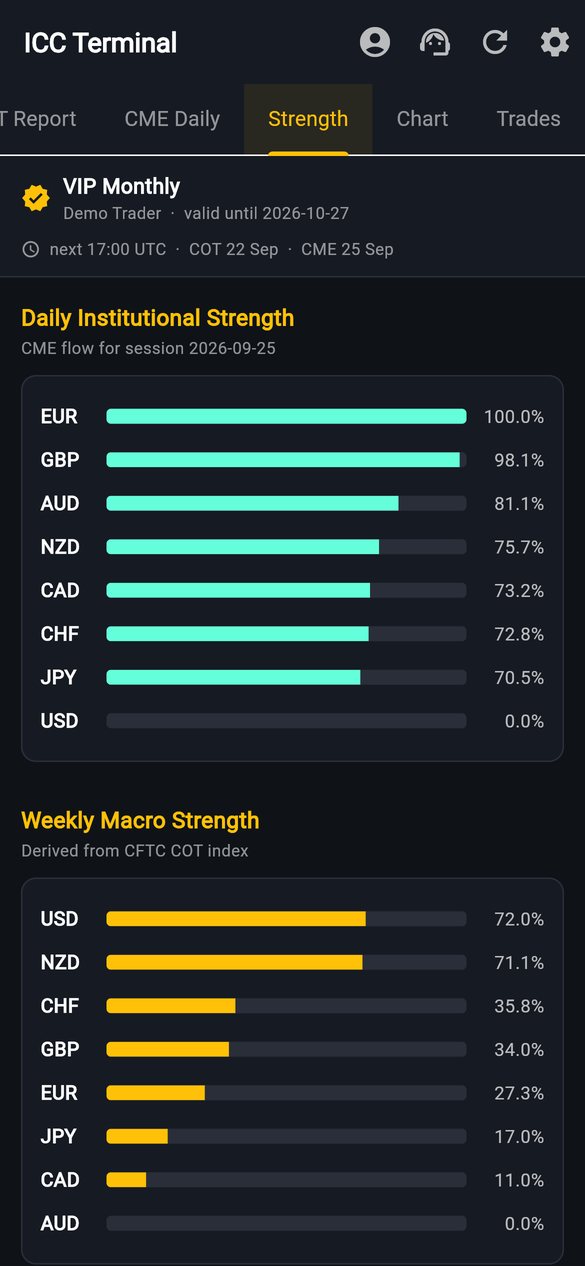
Currency Strength

Daily and weekly strength matrix for USD, EUR, GBP, JPY, AUD, CAD, CHF and NZD — pick the strongest vs the weakest.

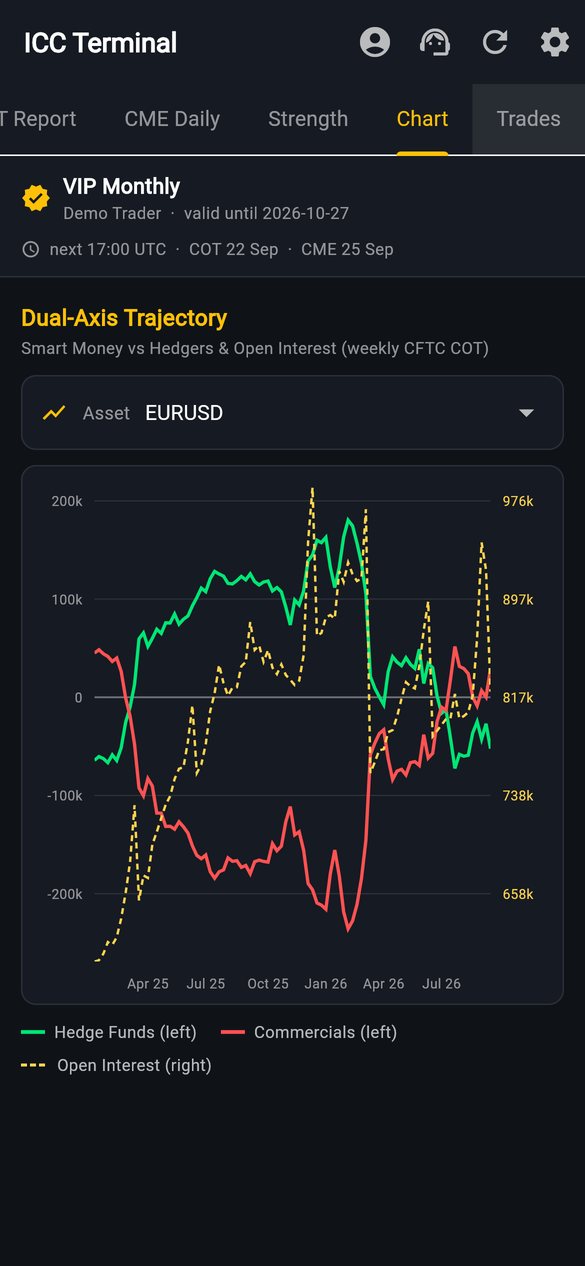
Dual-Axis Trajectory

Two years of hedge funds vs commercials vs open interest on one chart. Spot turning points before price moves.

MT5 Copy Trading VIP

Copy the ICC master strategy into your own MetaTrader 5 with the ICC Copier EA — lot size scales with your balance.

Screens

Same data. Every screen.

Your account works on your phone, your PC and in the browser — log in once and your plan follows you.

COT report screen
COT Report
CME daily signals screen
CME Daily Signals
Dual-axis chart screen
Dual-Axis Chart
Currency strength screen
Currency Strength
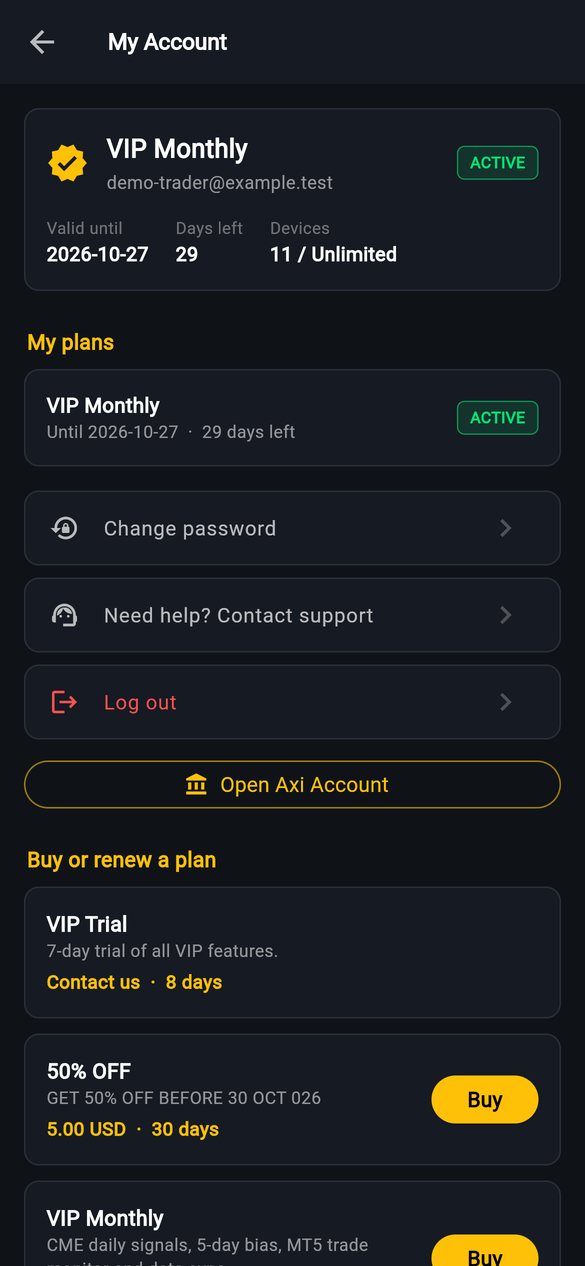
Account and plans screen
Plans & Account
Download

Get ICC Terminal

Free to download. Log in or continue as a guest, upgrade any time.

Recommended

Android app

For almost every phone from the last 5–6 years. Fingerprint login, remember me and instant loading.

Download APK

Windows app

One file — run it and it installs itself with Desktop and Start Menu shortcuts. Stays logged in.

Download for Windows

Web Terminal

Nothing to install. Open it in Chrome, Edge or Safari on any computer and log in with the same account.

Open Web Terminal
Installing the Android app: after the download, tap the file and allow "Install unknown apps" for your browser when Android asks (only the first time). Already have ICC Terminal? Installing the new file updates it and keeps you logged in. On Windows, if SmartScreen appears, click More info → Run anyway. New to ICC Terminal? Read the step-by-step user guide — 14 languages.
Pricing

Unlock the full terminal

Guests see the weekly COT index. VIP unlocks COT details, CME daily flow, the 5-day bias, charts and MT5 copy trading.

Loading plans…

One moment.

Create your accountIn the app, desktop app or web terminal — free.
Tap “Buy” on a planPay by JazzCash, Easypaisa, bank transfer or crypto — details are shown with a copy button.
Enter the transaction IDTap “I have paid”. WhatsApp opens with your payment details — attach the screenshot.
Plan activatedAs soon as the payment is confirmed your VIP features unlock on every device.
MT5 copy trading

Let the strategy trade for you

VIP members copy the ICC master account into their own MetaTrader 5.

  • 0.01 lot for every 1,000 USD of your balance, times your own multiplier
  • Trades, stop loss, take profit and closes follow the master automatically
  • Switch copying on or off and pick your multiplier inside the app
FAQ

Questions

Where does the data come from?

Weekly positioning comes from the official CFTC Commitments of Traders report. Daily volume, open interest and settlements come from CME Group. The terminal updates automatically every day at 01:00 and 17:00 UTC.

Can I use one account on my phone and my PC?

Yes. Log in with the same email on the Android app, the Windows app and the web terminal. Your plan says how many devices can be used at the same time.

How do I pay and how fast is my plan activated?

Tap “Buy” on a plan inside the app or terminal, send the payment to one of the accounts shown, enter the transaction ID and tap “I have paid”. Send the WhatsApp message that opens with your screenshot — your plan is activated as soon as the payment is confirmed.

Is the Android app safe to install from this website?

Yes — the app is signed by ICC Terminal and downloaded straight from this site over HTTPS. Android asks for permission to install apps from outside the Play Store the first time; that is normal for every app installed from a website.

Do I need a broker for copy trading?

You need a MetaTrader 5 account that runs 24/5 (a PC or a VPS) and a VIP plan. We recommend Axi — open an account with the button above. The copy trading setup guide shows every step with pictures.

Is this financial advice?

No. ICC Terminal shows market data and statistics for education and analysis. Trading is risky — only trade money you can afford to lose.